August 18, 2026 — Copenhagen
AT-LP120-USB to Sonos
Stream FLAC from turntable to Sonos
The only speaker setup I have is Sonos, so I naturally wanted to connect my turntable to it. I connect it directly to my Raspberry Pi with USB and stream its output to my Sonos using a Homebridge switch.
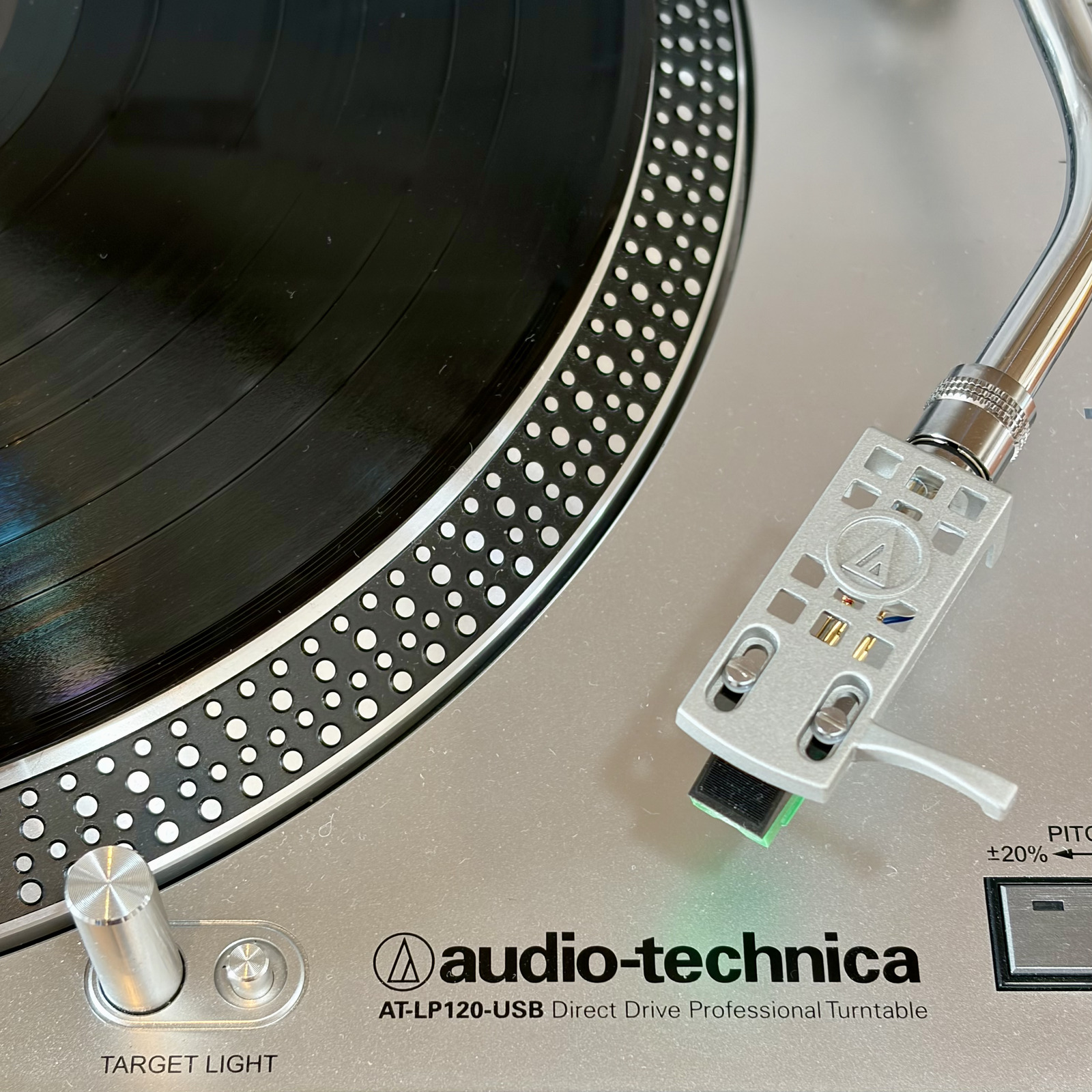
I originally used DarkIce and Icecast to send a 320 kbit/s MP3 stream. That worked well enough, but I wanted to move to FLAC (🤷). My first attempt was to keep Icecast and change the format. I tried FLAC, but it did not work with Sonos in this setup.1
Next, I made a small Python HTTP server that captured the turntable, encoded the audio as native FLAC, and sent it directly to Sonos. It was a bit of a hack, even though an LLM made it surprisingly easy to get working. I wanted something a little less hacky, rather than a server that had to manage a capture and encoder process for every listener.
At that point, I stumbled on Liquidsoap. It
can capture the audio, encode native FLAC, and serve it with its
built-in Harbor HTTP server. It even restarts the external
arecord process if the USB capture device has a
problem. That gave me the native FLAC stream I wanted without
keeping a custom streaming server around.
The complete path is:
turntable -> ALSA -> arecord -> Liquidsoap -> SonosThe Pi captures 16-bit, 48 kHz stereo audio. The FLAC stream is lossless after the turntable’s analogue-to-digital conversion. It cannot recover anything lost by the record, the analogue signal chain, or that conversion, but it avoids adding another lossy compression step.
Install and configure #
sudo apt install liquidsoap alsa-utilsThe Raspberry Pi must see the turntable’s USB audio
interface. In my case, ALSA gives it the stable card name
CODEC:
cat /proc/asound/cards
arecord -l
I use this /etc/asound.conf to select the USB
capture device, set the capture format, and expose a software
volume control:
pcm.dmic_hw {
    type hw
    card CODEC
    channels 2
    format dat
}

pcm.dmic_dsnoop {
    type dsnoop
    ipc_key 2900
    ipc_key_add_uid true
    slave {
        pcm dmic_hw
        format S16_LE
        rate 48000
        channels 2
        period_size 1024
        buffer_size 8192
    }
    bindings {
        0 0
        1 1
    }
}

pcm.dmic_sv {
    type softvol
    slave.pcm dmic_dsnoop
    control {
        name "Capture Volume"
        card CODEC
    }
    min_dB -5.0
    max_dB 20.0
}
Set the capture volume while playing real material. Do not copy a gain value blindly, and check that loud records do not clip.
Liquidsoap #
Direct ALSA input was unreliable with this USB audio
device,2 so Liquidsoap starts
arecord as an external raw PCM source. The working
configuration is in
/etc/liquidsoap/turntable.liq:
settings.frame.audio.samplerate.set(48000)
settings.frame.audio.size.set(1024)
settings.frame.video.framerate.set(0)
settings.log.file.set(false)
settings.log.stdout.set(true)

turntable = input.external.rawaudio(
  id="turntable_input",
  samplerate=48000,
  channels=2,
  buffer=0.5,
  max=2.0,
  restart=true,
  restart_on_error=true,
  "/usr/bin/arecord --quiet --device dmic_sv --format S16_LE --rate 48000 --channels 2 --file-type raw"
)

output.harbor(
  id="turntable_flac",
  fallible=true,
  port=8082,
  mount="/turntable.flac",
  format="audio/flac",
  headers=[
    ("Cache-Control", "no-store")
  ],
  %flac(
    samplerate=48000,
    channels=2,
    compression=2,
    bits_per_sample=16
  ),
  turntable
)
The stream URL, replace the placeholder with the Pi’s local hostname:
http://<raspberry-pi-hostname>:8082/turntable.flacThe Homebridge switch #
Once the URL plays directly, I use the homebridge-script2
plugin to expose two shell commands as a Homebridge switch.
Install the plugin in the usual Homebridge way:
npm install -g homebridge-script2I keep the SoCo scripts in a small Python virtual environment:
python3 -m venv /opt/turntable
/opt/turntable/bin/pip install soco
I then add this accessory to Homebridge’s
config.json:
{
  "accessory": "Script2",
  "name": "Turntable",
  "on": "/opt/turntable/bin/python /opt/turntable/play.py",
  "off": "/opt/turntable/bin/python /opt/turntable/stop.py"
}
The on command runs play.py:
import soco

coordinator = soco.discovery.any_soco().group.coordinator
coordinator.play_uri(
    "http://<raspberry-pi-hostname>:8082/turntable.flac"
)
The matching off command runs
stop.py:
import soco

coordinator = soco.discovery.any_soco().group.coordinator
coordinator.stop()
Homebridge exposes these commands as a switch.
sudo -u homebridge \
  /opt/turntable/bin/python /opt/turntable/play.py
If a Sonos system has several independent groups, it is better to select the intended coordinator by room name instead of discovering an arbitrary speaker. In my case, discovering any speaker and then asking SoCo for that speaker’s group coordinator is a handy small trick because my speakers normally form one group.3
That is the whole idea: a turntable, a small Raspberry Pi, Liquidsoap serving native FLAC, and a Sonos URL. It is a modest setup, but it lets me keep using the turntable while listening in the same way as the rest of my Sonos audio.
This describes my particular Icecast, Liquidsoap, and Sonos combination. The Raspberry Pi could capture the audio and encode it as FLAC, but Sonos could not use the Icecast-served endpoint as a live URI in the form I tried. The later Python server delivered native FLAC over plain HTTP and worked, which showed that the problem was the streaming endpoint, not the capture or the FLAC encoding. I did not investigate whether a different Icecast version, container, or header combination would have solved it. See the Icecast documentation and Liquidsoap’s encoding-format notes for the broader format picture.↩︎
I do not know exactly why. Liquidsoap’s direct ALSA input returned
EINVALwith this USB capture setup, while the same device worked througharecord. I was already usingarecordin the earlier streaming setup, so keeping that small external process was easy and proved reliable enough for this version of the configuration.↩︎If you regularly use several independent Sonos groups, replace
any_soco()with code that selects a known room. Otherwise, the discovered coordinator may be in a different group from the one you want to start.↩︎